Problem
Turning a photograph into a design reference means extracting colors that can actually be reused. Our three-person team built a Django application that converts an uploaded image into a palette of HEX colors and saves the result to the user’s history.
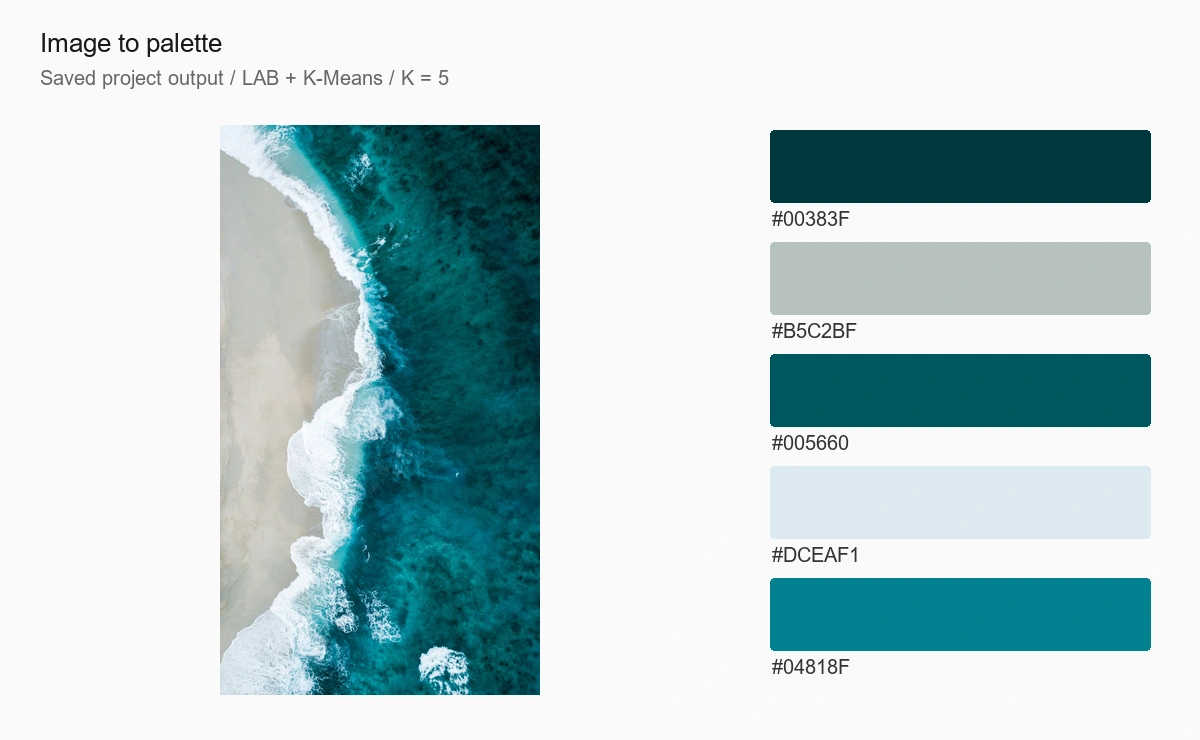
The cover is a visualization of an existing project record: its source photograph and five saved HEX colors. It is not an application screenshot.
Image-processing pipeline
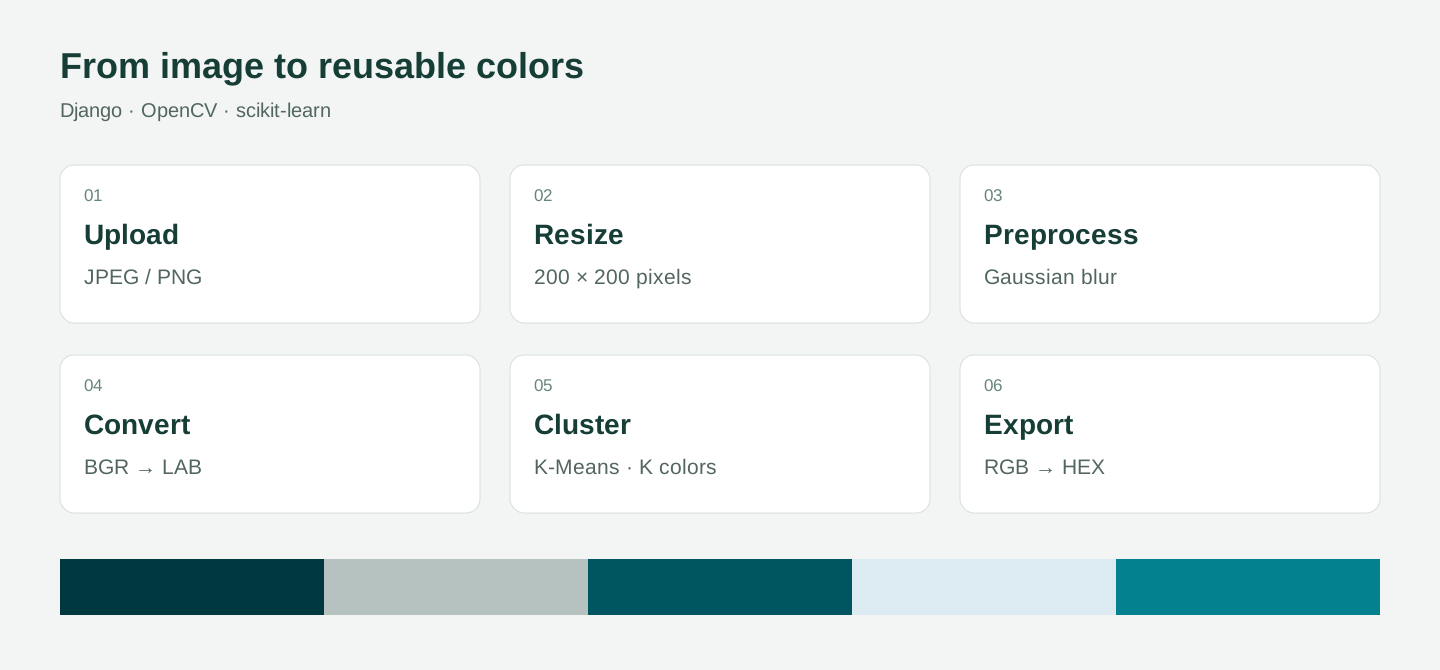
After JPEG/PNG validation, the image is resized to 200×200, Gaussian-blurred and converted from BGR to LAB using OpenCV. K-Means groups pixel values, and the cluster centers are converted to RGB to produce a palette and HEX codes.
Users select the color count and blur kernel. K-Means uses random_state=42, n_init=10 and max_iter=1000. Resizing limits computational cost but can remove fine detail and rare colors.
Web application and data
Django authentication and templates support upload, result, history and profile screens. Palette edit/delete queries are scoped to the current user.
ImageUpload and ColorPalette inherit shared timestamps from an abstract BaseModel. Foreign keys connect palettes to users and source images. Small processing functions are exercised by algorithm, utility and view test definitions.
Measurements and limitations
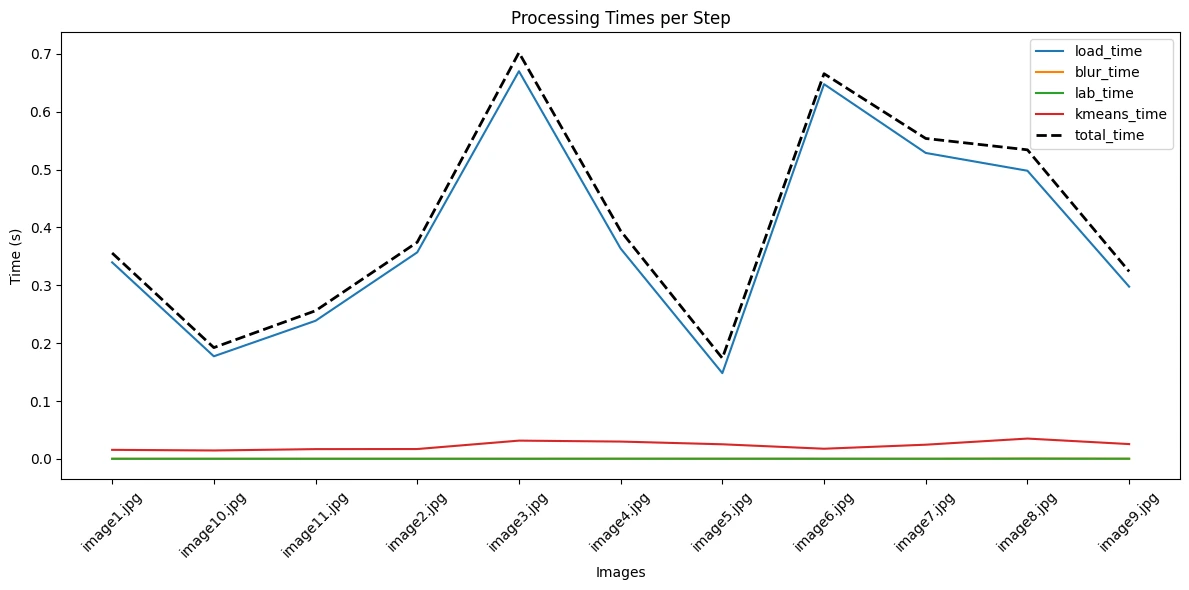
Eleven saved measurements range from 0.174 to 0.702 seconds in total, averaging approximately 0.411 seconds. These are historical project measurements, not a speed guarantee across hardware and inputs.
Initial generation and editing currently use different preprocessing paths. Fixed intermediate filenames can also collide between concurrent requests. A shared processing service, per-request output paths and consistent image storage are the next improvements.
Result
The application combines image upload, clustering, color-code output and personal palette management, demonstrating how a classical image-processing algorithm can be integrated into a full-stack web application.